
Why a 12.1″ Display Could Be the Right Choice for Your Next Industrial HMI
by Keith Wong, Technical Business Development Manager, Inelco Hunter
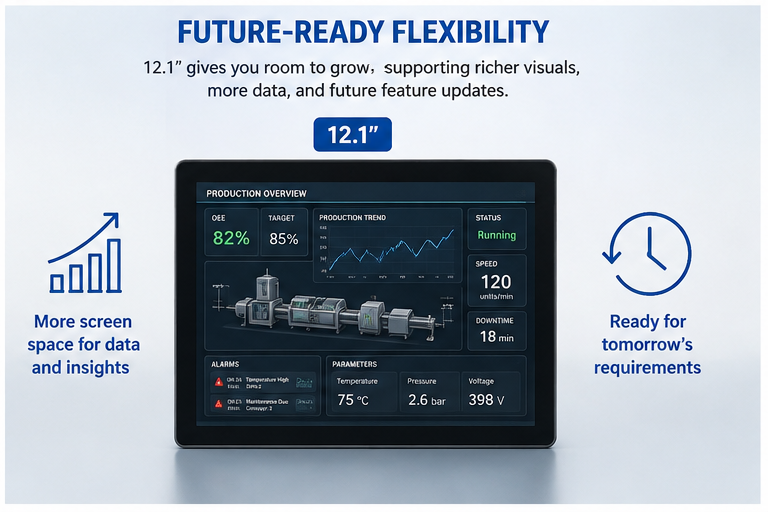
As industrial HMIs become more sophisticated, operators need to interact with more buttons, sliders, graphs, alarms and settings. This raises an important question: is 10.1″ still enough?
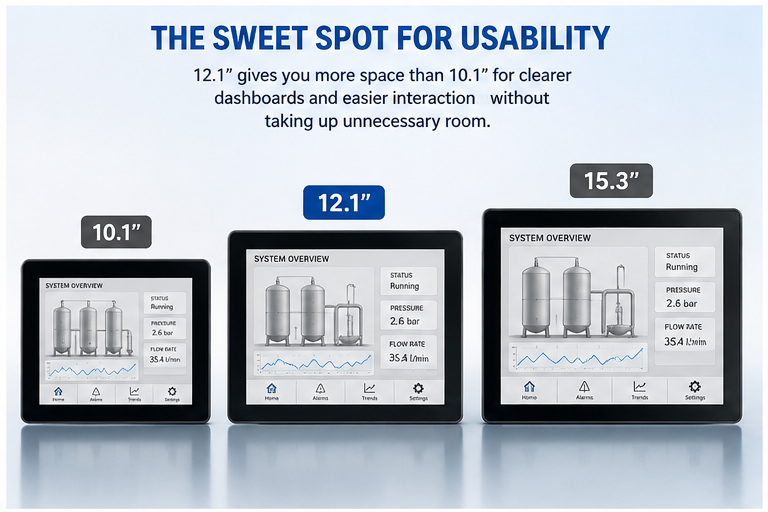
44% more screen area
Moving from 10.1″ to 12.1″ may sound like a modest increase, but with the same 16:10 aspect ratio, a 12.1″ display provides approximately 44% more screen area.
That extra space can make a significant difference to an industrial HMI. Designers can use larger buttons, wider sliders and greater spacing between touch controls, while displaying more information on the same screen.
For operators working quickly or wearing gloves, larger and better-spaced touch targets can make the interface more comfortable and help reduce false or unintended touches.
Why not 10.1″ or 15.3″?
10.1″ remains ideal for compact and simpler HMIs. However, information-rich interfaces can become crowded, forcing designers to use smaller controls or more screens.
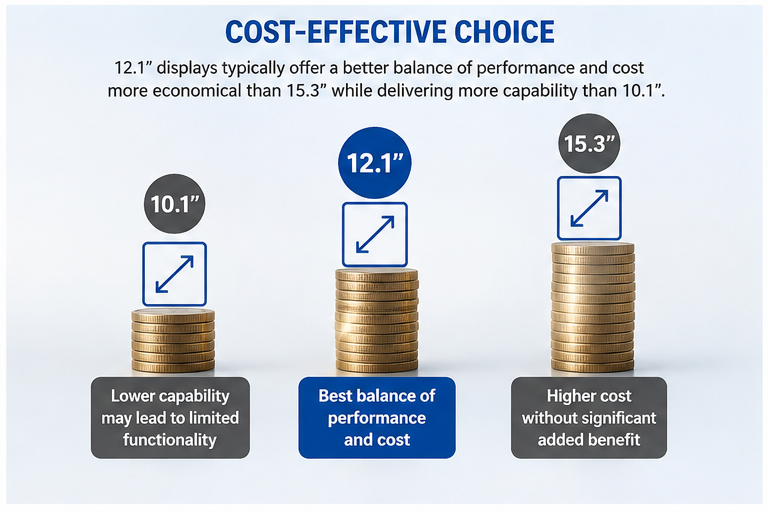
Moving to 15.3″ provides substantially more screen area, but the additional size may be unnecessary for many machines. It can increase the enclosure size and mounting requirements, while increasing the BOM cost significantly.
12.1″ sits between these two extremes: approximately 44% more screen area than 10.1″, while remaining considerably more compact than a 15.3″ panel. For many industrial machines, it offers a practical balance between operator comfort, information density and machine size.

Which type of 12.1″ display should you choose?
Several approaches are available, from conventional TFT displays to UART smart displays, ESP32, STM32 and embedded Linux platforms.
- Standard 12.1″ TFT display: may be simple and low-cost, but it provides little HMI functionality. The OEM must develop the display controller, touch handling, graphics, GUI software and integration themselves. For a modern industrial HMI, this can mean significantly longer development time, greater engineering effort and higher project risk.
- UART smart display: handles much of the graphics processing and HMI functionality inside the display, reducing the workload on the main controller and shortening development time. However, limited communication bandwidth and proprietary development environments can become constraints for highly graphical or interactive HMIs.
- ESP32-based display: offers low cost and wireless connectivity, but its memory, graphics performance, display bandwidth and peripheral resources can limit high-resolution graphics, animations and simultaneous industrial communications. It is generally better suited to simpler connected HMIs.
- Embedded Linux display: offers powerful processing and sophisticated software frameworks for complex graphics, networking and multimedia, but introduces greater software complexity, longer boot times and a larger system architecture.
- An STM32-based display sits between these approaches, combining dedicated graphics processing, touchscreen support and industrial interfaces with a real-time microcontroller platform. With TouchGFX, STM32CubeMX and STM32CubeIDE, developers can create sophisticated HMIs without the overhead of Linux.
For many industrial machines, STM32 provides a strong balance of information density, graphics performance, development time, real-time control and system complexity.
How do you choose the right 12.1″ STM32 display?
Screen size is only the starting point. When choosing a 12.1″ STM32 display, engineers should consider the complete platform, not just the LCD specification.
- First, consider hardware compatibility across your HMI range.
If your existing products use 7″ or 10.1″ displays, can the 12.1″ platform maintain a similar power architecture, connector interface and communication interfaces? A consistent hardware architecture can simplify system design and make it easier to develop different machine models using different screen sizes. - Second, look carefully at the STM32’s resources.
Not all STM32 MCUs offer the same level of performance. The hardware graphics accelerator, RAM, Flash memory and display bandwidth can make a significant difference to GUI performance and the amount of graphical content you can put on the screen. A 12.1″ 1280 × 800 display has more than one million pixels, so the MCU must have sufficient resources to handle multiple widgets, images, animations and complex graphics smoothly. - Third, look at the integrated interfaces.
Industrial HMIs may require RS485, CAN, Ethernet, USB, UART, I²C, SPI and GPIO alongside display and touch functions. Having these interfaces integrated can reduce additional hardware and simplify system design. - Finally, consider the development ecosystem and support.
A good STM32 display should provide proven development tools, BSP, software examples, and technical support. This can significantly reduce development time and risk, particularly when moving from a smaller HMI to a larger 12.1″ interface.
A flexible STM32 HMI platform from Inelco Hunter
At Inelco Hunter, our STM32 embedded display range uses a common hardware architecture from 3.5″ to 12.1″, allowing OEMs to select the right screen size while maintaining consistent power, connectors and industrial interfaces. The platform combines STM32 processing, touchscreen technology, memory and industrial interfaces, with support for the STM32 development ecosystem and TouchGFX.
Whether developing a new product or integrating a display into an existing system, our engineering team provides hardware design, interface integration, mechanical adaptation and embedded software development to deliver solutions tailored to each application.
With 30+ years of industry experience and direct access to our technical team, Inelco Hunter combines proven products with practical engineering expertise to deliver solutions beyond standard off-the-shelf products.
Website: inelcohunter.co.uk
Tel: 0118 916 6920
Email: [email protected]